
The complete guide
Using HomeSturdy
HomeSturdy keeps everything your home needs in one organized place — the tasks it needs done, the documents and colors that describe it, and the utility bills it runs up. This guide walks through every feature. You can use HomeSturdy on the web or the iPhone app; the two stay in sync.
Getting started
Add your home in about a minute:
- Enter your address. HomeSturdy looks it up in public records and pre-fills the year built, size, beds and baths — you just confirm.
- Answer a few toggles. Lawn, pool, pets, crawl space, number of HVAC units and windows, and the property type. These shape which tasks apply to your home.
- Run Quick setup. A short wizard asks “when was the last time you…?” for each task. Set a date, tap Don't remember, or Doesn't apply to skip it. Nothing here is required — finish anytime.
Your maintenance plan
From what you told us, HomeSturdy generates a maintenance calendar tailored to your home — HVAC by season, lawn by grass type, pool by how it's run, gutters by region, and so on. Tasks only surface when they're actually due, so you're never staring at a wall of to-dos.
Each task carries a sensible default schedule (for example, “change the HVAC filter every 3 months”). As you log work, the next due date moves forward automatically.
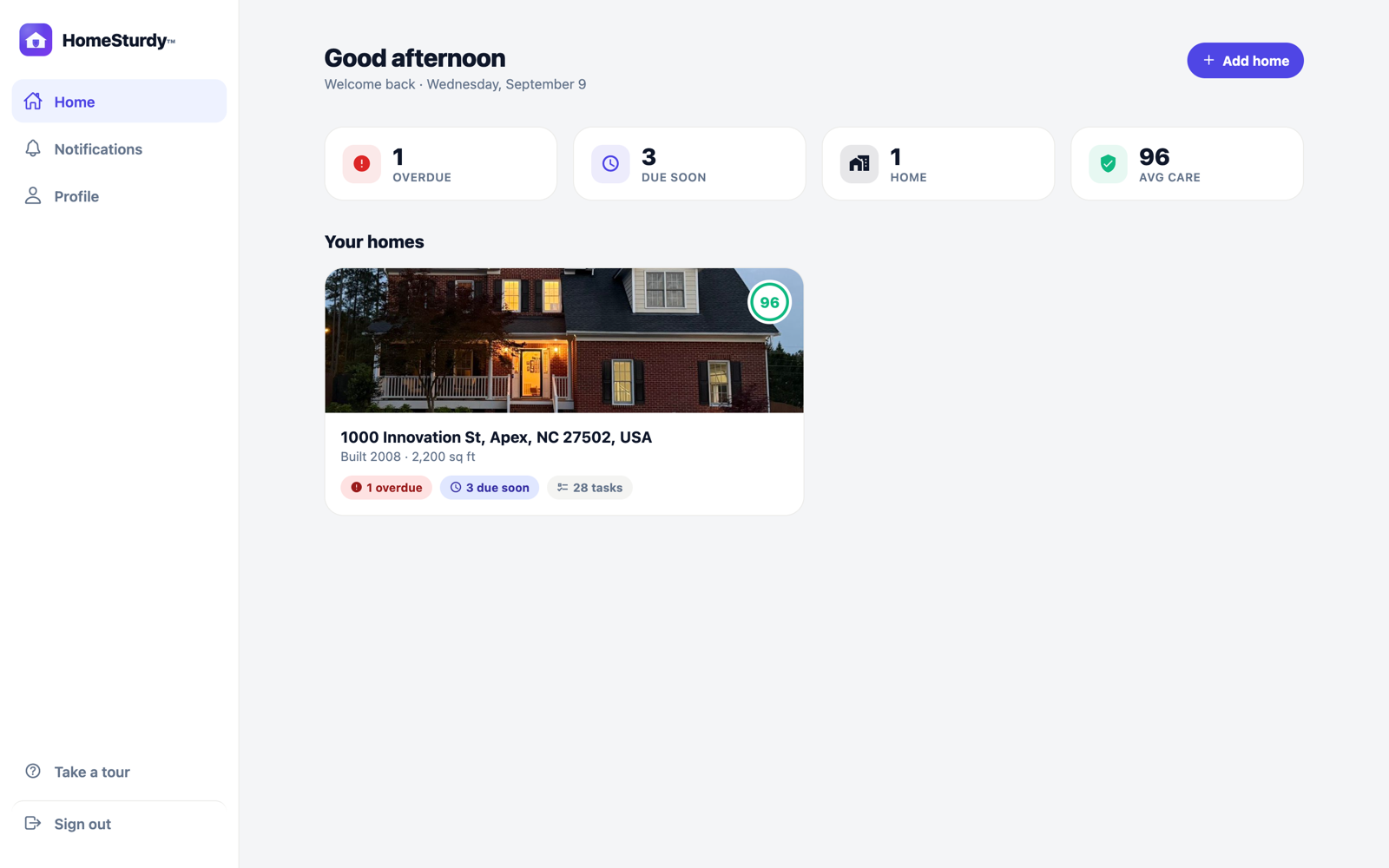
The dashboard
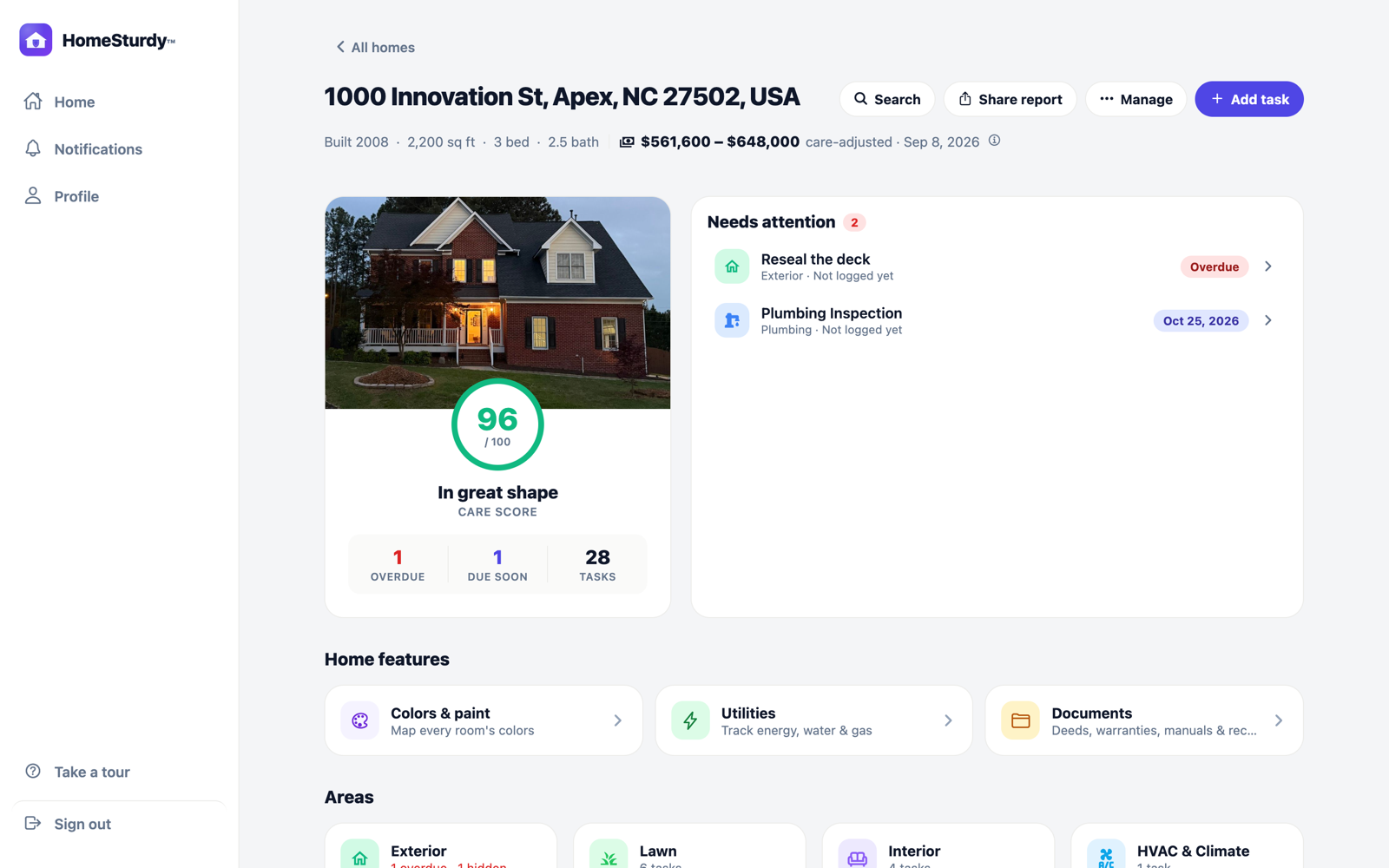
Every home has its own dashboard:
- Care score — a 0–100 read on how well the home is kept up, based on what's overdue versus handled.
- Needs attention — what's overdue or due soon, plus any active contractor quotes, in priority order.
- By area — tiles for Exterior, Lawn, Interior, HVAC, Plumbing, Electrical, Safety, Appliances and more. Tap one to see its tasks.
- Home features — quick access to Colors, Utilities and Documents (below).
Working with tasks
Open any task to see what it involves, its schedule, and the smart call on whether to DIY or hire it out — with an estimated cost range and rough time. From a task you can:
- Log it done — records the date and moves the next due date forward.
- Attach photos, a cost, a contractor and notes — kept as history against that task.
- Reschedule or edit the frequency if your home is different from the default.
- Mark “doesn't apply” to hide tasks your home doesn't need.
Adding a task
Beyond the generated plan, add your own tasks anytime — a one-off repair, a custom recurring chore, anything. Give it a title, pick an area, set a due date and (optionally) a repeat interval.
Adding a task from a photo or a note
Two faster ways to capture something you notice:
- From a photo. Snap a picture of a problem — a water stain, a cracked seal, a rusty valve, or even a written label — and HomeSturdy reads it and suggests up to three tasks, pre-filling the title, area, and how to handle it. Pick one and you're done.
- From a note. Type what's on your mind in plain language (“gutters overflowing near the garage”) and HomeSturdy turns it into a properly categorized to-do.
Tip: this is the quickest way to log something mid-walkthrough — photograph it now, decide later.
Reminders
HomeSturdy sends a single digest every few days rather than a stream of pings — and only for what's actually due. If you own more than one home, the digest groups by address, so you can see “3 things at the lake house” at a glance. You control the cadence in settings.
Logging work & history
Every completion is filed against its task with the date, cost, contractor, duration, photos and notes you add. Over time this becomes a full maintenance record for the home — handy for warranties, insurance, and especially when you sell: you can hand a buyer a clean history of care that most homes simply don't have.
Care score & home value
The care score reflects how on-top-of-things a home is. HomeSturdy also shows an estimated market value range for the property. Because a well-maintained home is worth a little more than the raw public-records estimate, the value shown is care-adjusted — nudged up modestly for a strong score. Tap the info icon next to the value to see how it's derived.
Requesting quotes
Need a pro for a task? Open it, write a short request, and send it to a contractor. Their reply lands right inside HomeSturdy — you approve, mark the work done, and log it — without either side ever seeing the other's real email address. Active quotes surface on the dashboard under Needs attention, with a badge when there's a new reply.
Documents
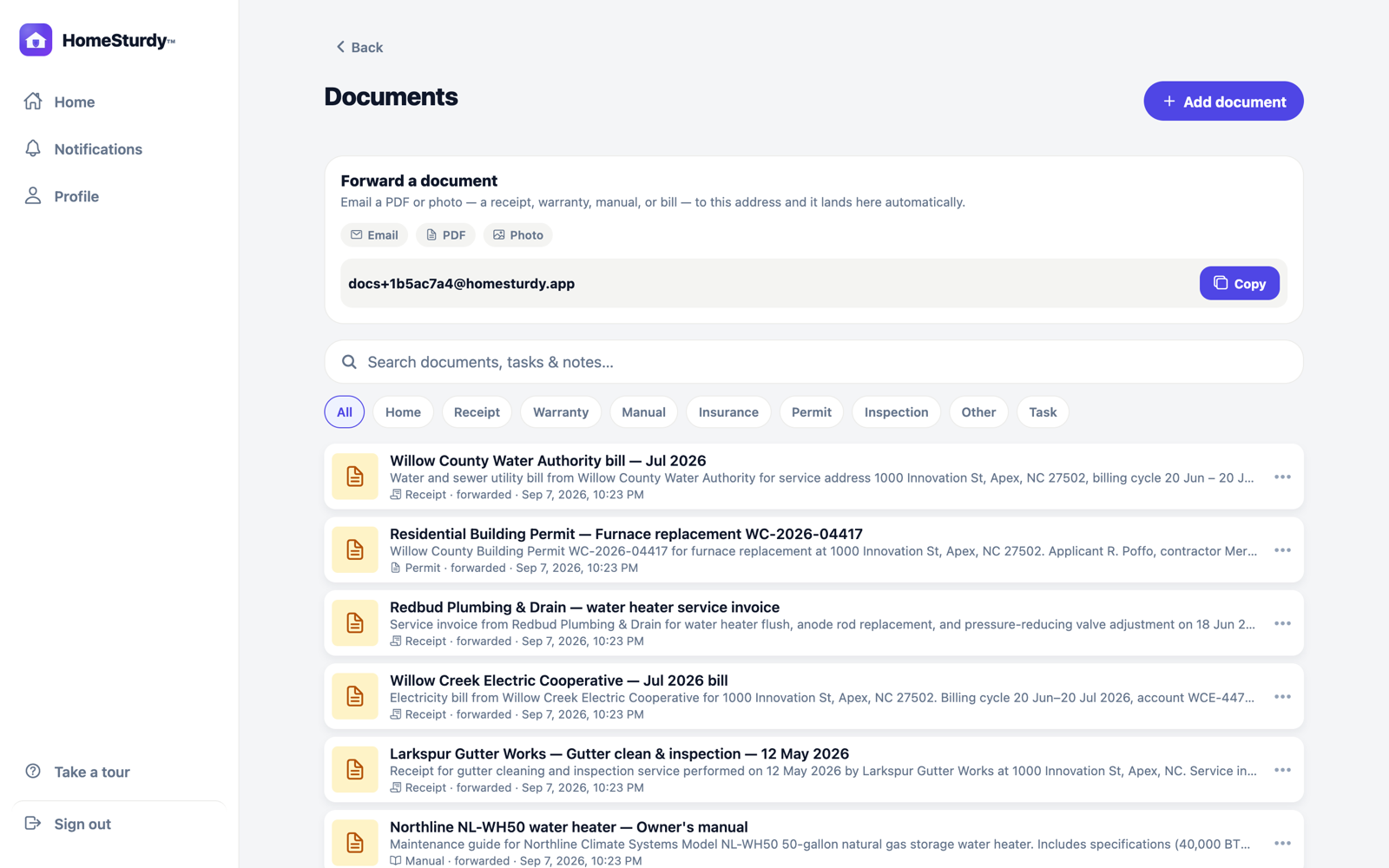
Keep every paper your home generates in one searchable place — deeds, warranties, appliance manuals, receipts, permits and inspection reports.
- Add a document by uploading a PDF or photo, or snapping one in the app. Task attachments show up here too.
- Forward it by email. Every home has a private address like
docs+xxxxxxxx@homesturdy.app. Forward a warranty or receipt and it lands automatically — HomeSturdy reads the file, gives it a clear title and description, files it under the right category, and confirms by email. Only people who belong to the home may forward to it. - Search the contents. Because HomeSturdy reads what's inside each file, you can search for a policy number, a model number or a brand and find the document — not just its filename.
- Preview in the app — PDFs and photos open inline with their title and description for context, and a share/save action.
Colors & paint
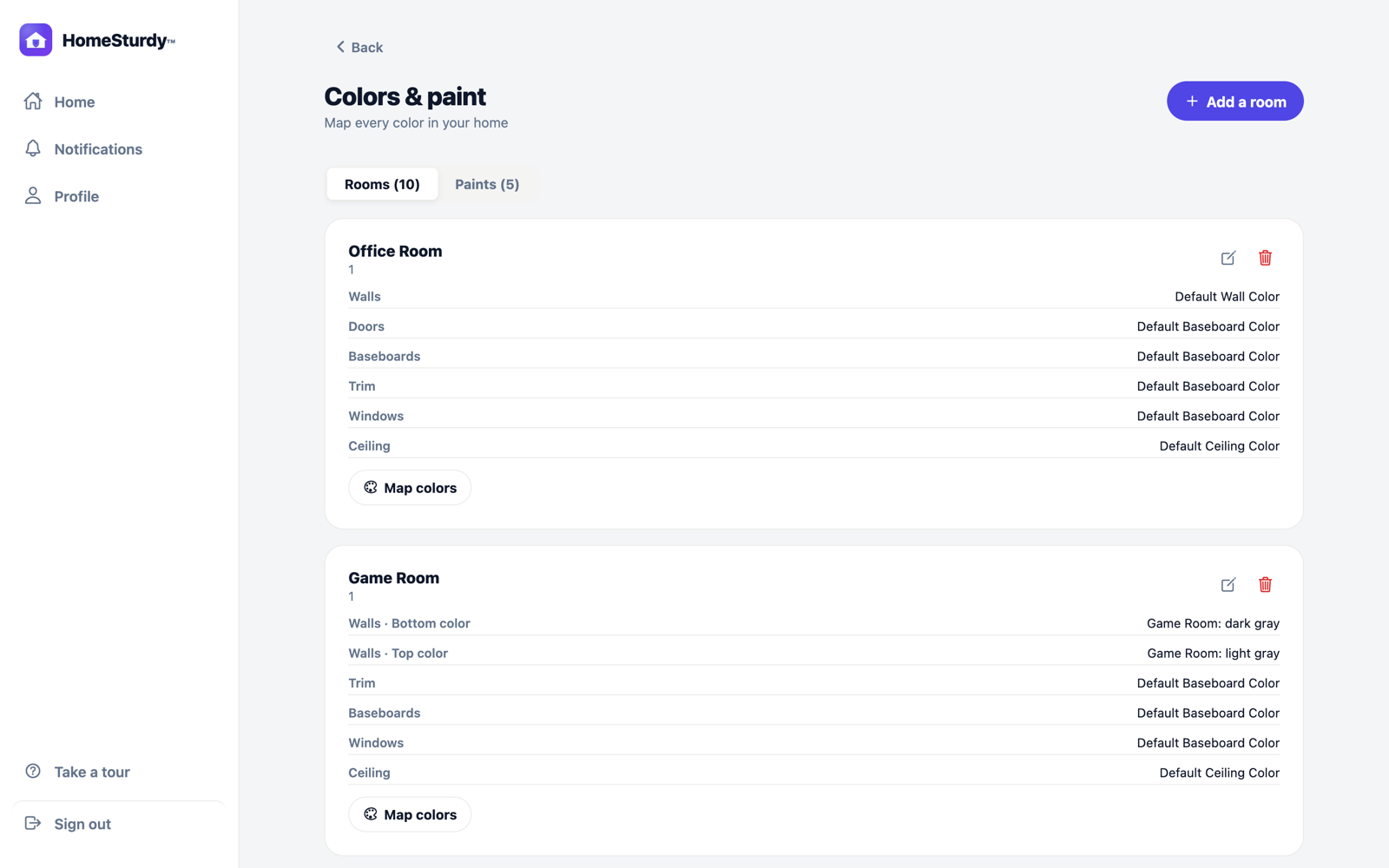
Never guess at the paint store again. Map your home room by room:
- Add each room (with optional floor, size and a cover photo).
- Record each paint — a nickname, brand, color name and code, finish, and a photo of the swatch or can.
- Assign paints to surfaces in a room (walls, trim, ceiling, doors) so the whole scheme is documented.
When it's time to touch up or repaint, you already know exactly what's on the wall.
Utilities & expenses
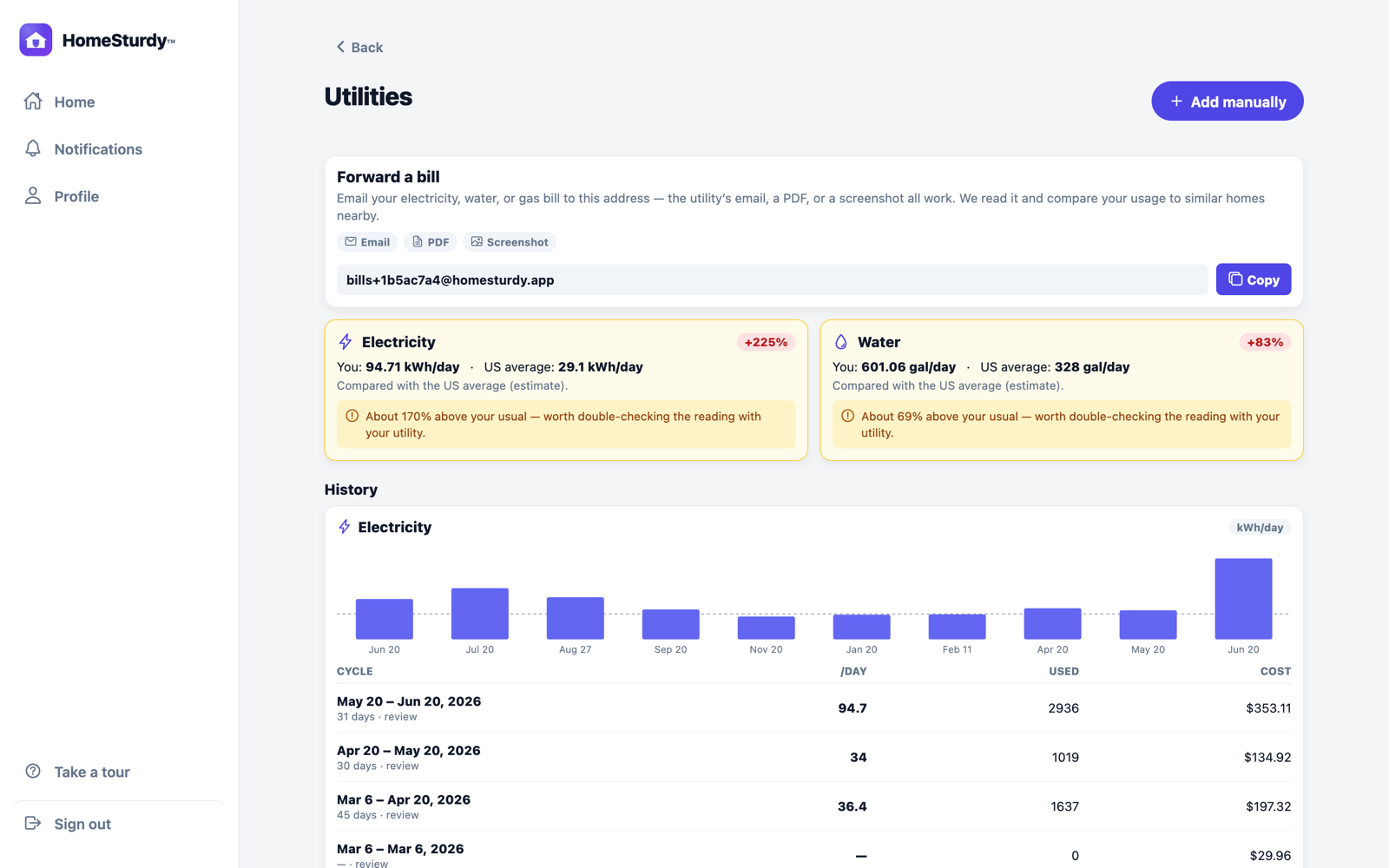
Track what your home costs to run — energy, water and gas.
- Forward a bill to your home's private address (like
bills+xxxxxxxx@homesturdy.app) and HomeSturdy reads the amount, usage and service period automatically. Forward the utility's own email, a PDF, or a clear photo — those work best. - Add one manually if you'd rather type it in.
- See your trend month over month per utility, and get a heads-up when a bill runs unusually high for a home like yours.
Good to know: as with documents, only members of a home can forward bills to it — anyone else gets a polite “not accepted” reply.
Multiple homes & sharing
Add as many homes as you like — your primary home, a rental, a parent's place. Each gets its own dashboard, score and calendar.
- Invite people to a home (a partner, a co-owner, a property manager). They see only the homes they've been invited to.
- Owner vs. member. The owner can delete a home; invited members can leave it but not delete it. Homes you were invited to are marked with an “Invited” badge.
Privacy & your data
HomeSturdy is free, shows no ads, and never sells your data. Quote requests keep your email private from contractors. Document and bill inboxes only accept mail from people who belong to the home. You can delete your account and its data anytime from the app. See the Privacy Policy for details.
Getting help
Questions, feedback or trouble? Head to Support — we read everything. New to a release? The release notes list what's changed.